
See who is already in HubSpot
Open a LinkedIn profile and the HubProspect Card appears under the person's header. It tells you whether they are "In HubSpot" or "Not in HubSpot yet", with a link to the record.
Free HubSpot Onboarding: Get 2 Hours of Free HubSpot & CRM Consultation
Book A CallHubProspect is a free Chrome extension. It saves the LinkedIn profile, company or conversation you are looking at to your own HubSpot, without leaving LinkedIn.
Add to Chrome, it's freeWorks with any HubSpot account, including the free CRM.
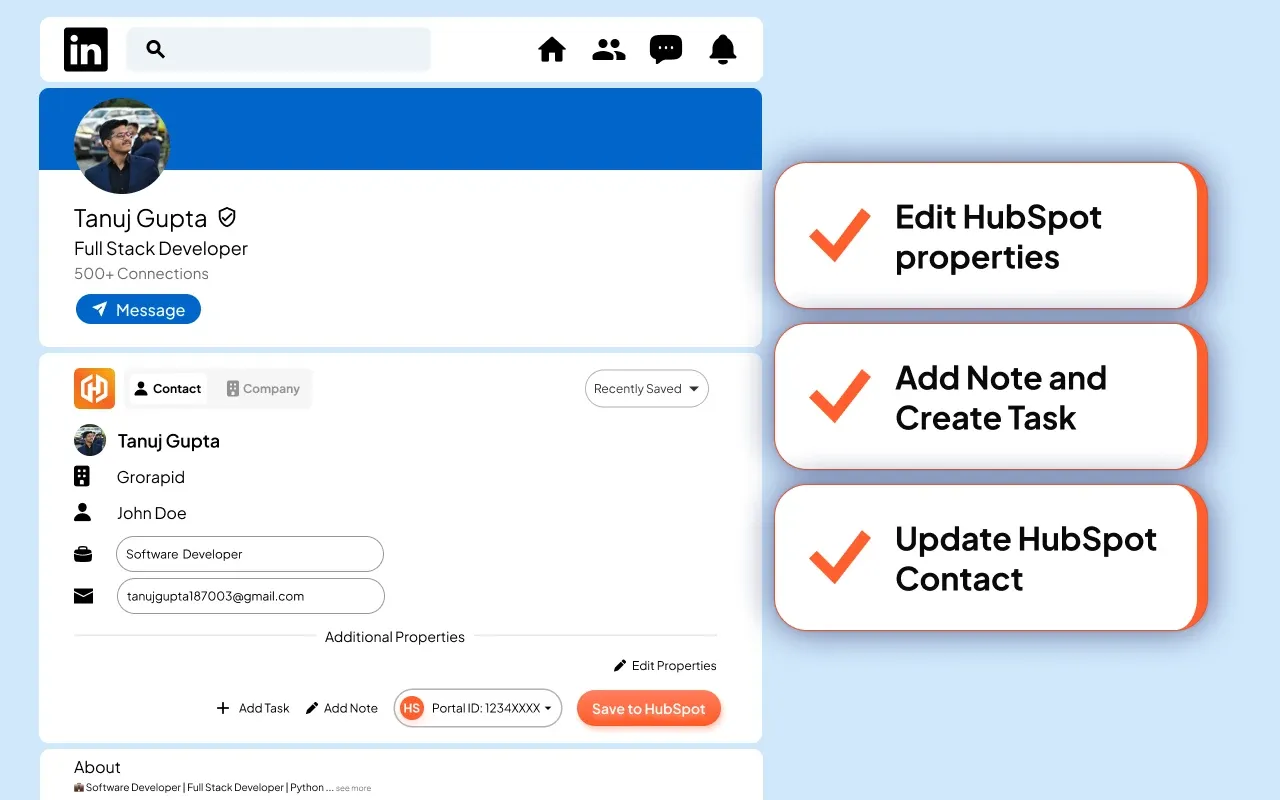
You click, it saves. No automation, no messages sent for you.
HubProspect never browses LinkedIn for you, never sends messages for you and never exports in bulk. It works on the page you have open.
Open a LinkedIn profile and the HubProspect Card appears under the person's header. It tells you whether they are "In HubSpot" or "Not in HubSpot yet", with a link to the record.
Click "Save to HubSpot". Name, job title, company, location and LinkedIn URL go onto the contact. The company is found or created and linked. Add a note and a follow-up task in the same click.
Before saving, HubProspect checks HubSpot by LinkedIn member ID, profile URL, email, and name plus company. If the person is already there, it asks whether to update the existing contact.
On a LinkedIn company page, the Card saves the company: name, website, industry, location and LinkedIn page.
In a LinkedIn chat, the Chat card sits above the message box. Click "Sync messages" and the new messages are logged on the contact in HubSpot, grouped by day. Sync again later and only the new messages are added.
Pin the contact and company properties you care about, including custom ones, and fill them in on the Card.
Agencies and freelancers can connect several HubSpot Portals and pick the right one on the Card.
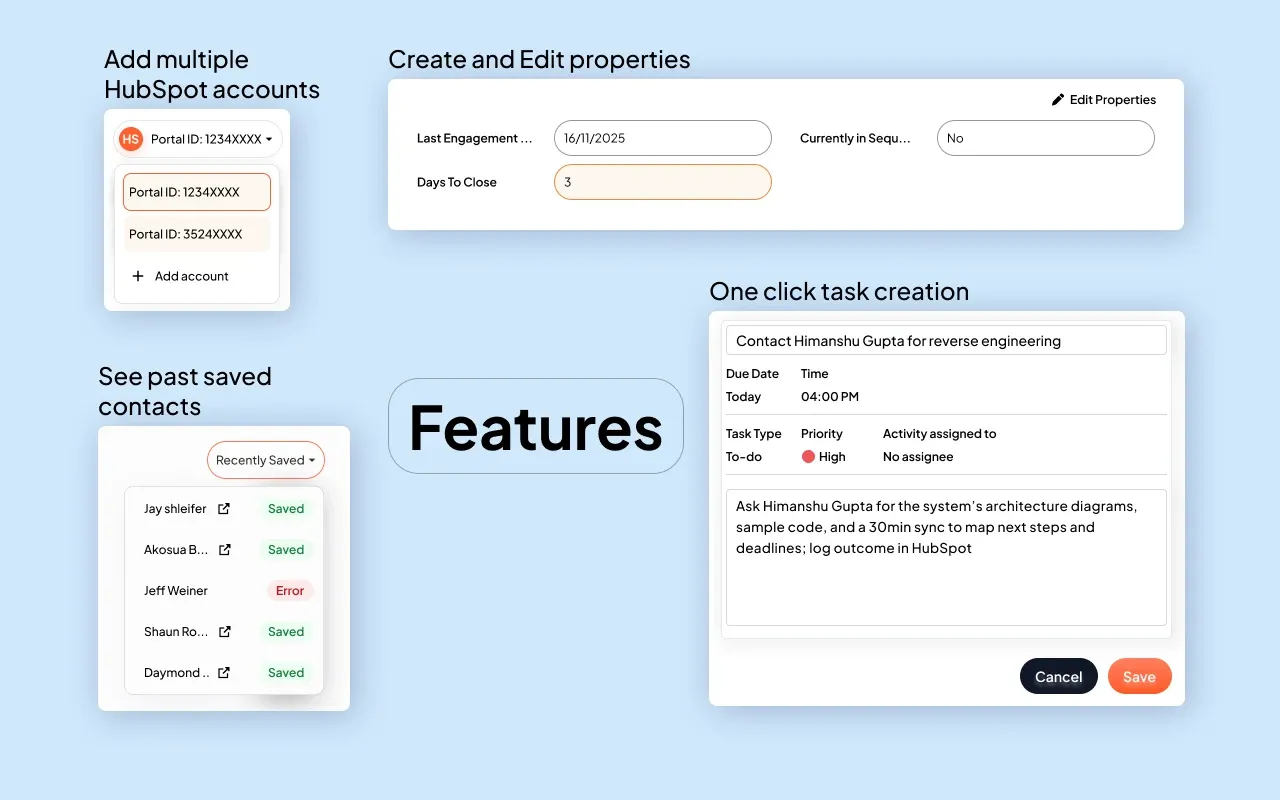
Everything above is free. No credits and no daily caps.
Yes. Saving contacts and companies, logging conversations, notes, tasks and property editing are all free and unlimited. There are no credits and no daily caps.
HubProspect does nothing on its own. It never browses LinkedIn for you, never sends messages or connection requests, and never exports in bulk. You click, it saves.
It checks first. Before saving, HubProspect looks for the person in HubSpot by LinkedIn member ID, profile URL, email, and name plus company. If it finds a match, it shows you the contact and you choose: update it, or create a second contact.
No. HubProspect saves what is on the LinkedIn page and what you type on the Card. It does not guess or buy contact data, and there are no credits to spend.
No. You decide which conversations go to HubSpot. Click "Sync messages" in a chat and the messages are logged on the contact. Sync again later and only the new ones are added.
Profile, company and messaging pages on linkedin.com. Sales Navigator and Recruiter pages are not supported.
Yes. Connect every Portal you work in and switch between them from the Card. It works with any HubSpot plan, including the free CRM.
Your HubSpot connection and daily usage counts (numbers only). Nothing about the people you look at. LinkedIn messages go straight from your browser to your HubSpot. Full details are in our privacy policy.