

Picture this: you start a bakery business in your town and it picks up. To match the growing demand, you want a bigger space but the cost and the infrastructure needed for opening and running this new place is immaculate and in case the business slows down, you’ll be under the pile of loans.
So, you do the next best thing, you rent a place with all the infrastructure including a fireplace on a monthly basis. This way you are saving up on the money spent on owning a new place and setting up everything.
This rented place is AWS cloud.
This is a cloud of purpose with all the necessities you need to meet the demands of your growing business without having to spend a lot. Let’s dive deeper.
What is cloud computing?

Cloud computing is the services provided over the internet with the complete infrastructure such as computing power, storage, and databases on pay-as-you-go basis pricing. These services eliminate the hassle of buying, owning, and maintaining physical data centers and servers.
Types of cloud computing
There are three types of cloud computing services with a different set of control, flexibility, and management. According to your needs, you can fix yourself up with the most suitable one and pay on a usage basis.
- Infrastructure as a Service (IaaS)
Think of IaaS as having access to a virtual data center to configure and manage the underlying infrastructure, you’ll get the basic blocks of computing such as servers, storage, and networks. - Platform as a Service (PaaS)
With Paas, you focus only on coding and deploying applications as it is a pre-built development environment. This helps developers to be much more efficient. With this use of provided tools and services, like databases and application hosting, streamlining the development process, it becomes a rapid development process - Software as a Service (SaaS)
SaaS is very similar to using Netflix, how, you may ask?
Because you are using the end product rather than thinking about how the service is maintained or how the underlying infrastructure is managed. You are using user-centric software such as email services and CRM tools.
Importance of cloud for businesses
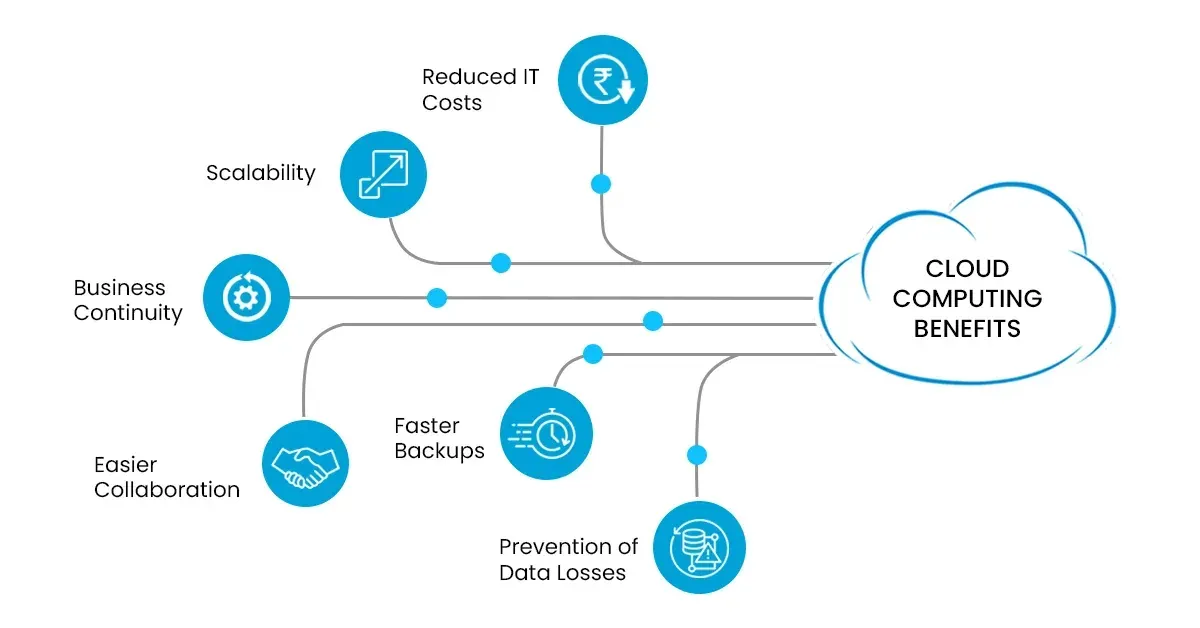
- Switch from fixed to variable expenses – Instead of spending a lot of money on data centers and servers without knowing how much you’ll be actually using them, you can pay only for what you need and when you need it.
- Take advantage of big savings – By using cloud computing, you can save more money than if you tried to do it all on your own. As many customers are using the combined services, it becomes easy for companies like AWS to offer services at lower prices.
- No more wondering about capacity – You don’t have to guess how much space you’ll need for your applications. With cloud computing, you can easily get more or less capacity whenever you need it, without wasting money on unused resources.
- Get things done faster – In the cloud, you can quickly get new resources with just a click. This means your developers can start working on projects in minutes instead of waiting for weeks. It’s much faster and cheaper to develop new things.
- Stop worrying about data centers – Instead of spending time and money on maintaining your data centers, you can focus on what makes your business grow. Cloud computing takes care of all the technical stuff, so you can focus on your customers.
- Expand globally in no time – With a few clicks, you can deploy your application in different parts of the world.
Being one of the leading ecommerce platforms and having faced storage and other challenges, Amazon came up with the greatest invention, known as Amazon Web Services (AWS). They offer a whole bunch of services like computing power, storage, and databases that can be used to scale their businesses. With AWS, companies can think outside the box, grow big, and make their operations run like a well-oiled machine. AWS has this robust infrastructure that lots of organisations rely on, and they only pay for what they use.
With such invention comes great results, now we move on to understanding what is AWS and how you can use it to scale your business.
What is Amazon web services (AWS)?

Amazon Web Services (AWS) is the most popular and in-use cloud platform. It’s part of Amazon.com Inc, the famous online shopping site. In just three months of the year 2021, AWS made a huge amount of money, $14.8 billion! That’s more than 13% of all the money Amazon made with its other services. AWS has been growing a lot lately, way more than its competition like Microsoft Azure. AWS is so big that it’s way ahead of its competition. One report says it has more than a third of the market, while Azure has 20% and Google Cloud has 9%.
AWS is like a bunch of different computers integrated into one. It provides servers, storage, networking, even email and mobile development. It’s divided into three main parts: EC2, which is like a virtual computer, Glacier, which is a cheaper way to store stuff in the cloud, and S3, which is a storage system.
The AWS Cloud is a huge network that covers 102 Availability Zones in 32 different parts of the world. And guess what? Amazon.com is planning to add 15 more Availability Zones and 5 new AWS Regions in Canada, Germany, Malaysia, New Zealand, and Thailand!
All these crazy numbers might make you think what are the services that make AWS the top choice for business owners.
What are the benefits offered by AWS?
Security:
- At AWS, security is the priority. The system employed for the cloud is one of the best when it comes to keeping your data safe.
- The AWS infrastructure is being constantly evaluated and looked after 24/7, to make sure your data is private, reliable, and easy to get to. With AWS, all your data is protected as it travels around the network, even before it leaves the super secure facilities. So you can trust AWS global infrastructure to keep your information safe, and you’re in control of everything. You can encrypt, transfer, and manage your data whenever you want. Availability:
- AWS is like a big bubble with different little bubbles inside. Each little bubble is separate and safe.
- These are known as AWS regions which are like big, spread-out areas that are found in different places around the world. Inside these regions, we have what we call Availability Zones. These zones are like special sections within the neighborhood that are designed to be safe. They are built in a way that if something goes wrong in one zone, it won’t affect the others. It’s like having multiple backup plans in case something breaks down.
- Along with this, AWS puts its important stuff in different places. They even have special spots that can power others for a whole day, even if they can’t talk to the rest of the world. And the best part? You don’t even have to connect to outside networks to use them.
Performance:
- AWS is constantly growing and expanding. So, when you want to store your data in the cloud, you get to decide where your users are located and choose the technology that suits them best.
- You can select the cloud that offers the greatest support for all kinds of applications, even the ones that require super-fast speeds and minimal delays. And if your data is up in space, you can use AWS Ground Station. They have satellite antennas close to where all the AWS infrastructure regions are present.
Scalability:
- The AWS Global Infrastructure helps companies to be flexible and use the cloud to scale. Before, companies used to guess how much space they needed for their business, especially when things got really busy.
- But now, they can just choose exactly what they need and change it fast to match their business needs. This also saves money and helps companies meet their users’ demands like a pro.
- Need a bunch of servers fast? No worries! You can have hundreds or even thousands in just a few minutes!
Flexibility:
- As we know by now AWS Global Infrastructure is flexible and lets you choose the best place and way to run your workloads. No matter what you pick, you’ll get the same network, control panel, APIs, and a bunch of AWS services.
- If you want your apps to spread all over the world, you can choose from lots of different AWS Regions and Availability Zones. But if you care more about making sure your mobile devices and users don’t have to wait long, AWS Local Zones or AWS Wavelength are the way to go. Also, if you want to keep everything in your place, AWS Outposts is perfect.
- If you work in the public sector or a fancy industry with lots of rules, AWS is building something new for you called the AWS European Sovereign Cloud, and it’s made just for organizations like yours.
Global Footprint:
- Amazon Web Services (AWS) provides a better extensive footprint compared to others.
- As AWS continues to expand, this dynamic growth ensures that when you migrate your applications and workloads to the cloud, you enjoy the flexibility of selecting a technology infrastructure that is geographically positioned closest to your target user base.
- You can run your workloads on the cloud that delivers the best support for a wide set of applications, even those with the highest compute and lowest latency requirements. And if your data lives off this Planet, you can use AWS Ground Station, which provides satellite antennas near AWS infrastructure regions.
Now, let’s talk about the core services that form the basic structure of the infrastructure.
Key AWS services overview
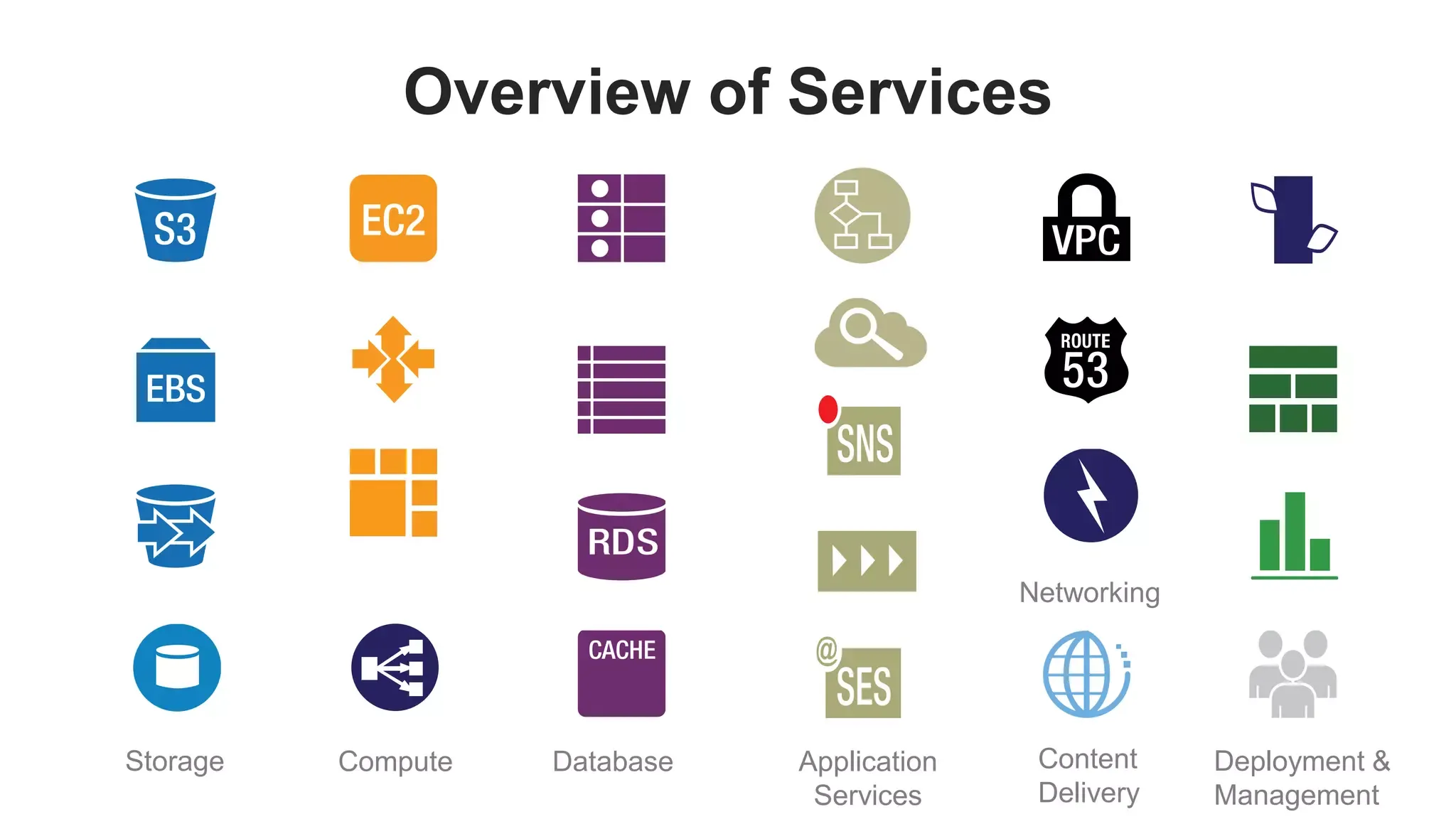
Compute Services
- Amazon EC2- Amazon Elastic Compute Cloud
It is the go-to option for all cloud computing needs because it’s secure and reliable. It makes web-scale computing for developers easier by giving them an easy-to-use interface. With Amazon EC2, you have complete control over the resources you use, and you can effortlessly acquire and configure computing capacity. With Amazon EC2, you can easily tweak your capacity to keep up with shifts in demand, saving you time when starting up new server instances. As you’ll be charged based on usage, it is a cost-effective choice. The developers and system admins get tools from EC2 to create strong applications and shield them from potential hiccups, guaranteeing smooth operation and dependable systems. - AWS Lambda
AWS Lambda is like having your code runner, without the hassle of dealing with servers. You only pay for the time your code is running. It works for all sorts of applications and backend services, without needing any admin skills. All you have to do is upload your code and Lambda handles all the nitty-gritty details of running and expanding your code to handle heavy loads.
Storage services
- Amazon S3 (Simple Storage Service)
Amazon Simple Storage Service (Amazon S3) is a storage service that can handle huge amounts of data and keep it safe. It’s perfect for all kinds of user needs, like storing data for websites, mobile apps, backups, and more. It’s user-friendly, so you can easily manage and control who can access your data. And to just blow your mind we have a fact stating, that it’s so reliable that it’s designed to have durability. - Amazon Elastic Block Store
Amazon Elastic Block Store (Amazon EBS can be used on Amazon EC2 instances in the AWS Cloud. With the storage volumes, you can store as much data as you like. If in case your computer doesn’t work, it makes sure that everything you saved is copied and stored in the same place, so you won’t lose anything important. The best part is, it never slows down your systems.
Database services
- Amazon RDS (Relational Database Service)
Amazon Relational Database Service (Amazon RDS) helps you to set up, run, and expand relational databases. It takes care of everything like managing hardware, setting up databases, and completing backups. Now, you can give your attention to your applications. - Amazon DynamoDB
Amazon DynamoDB is a fast and powerful database that can handle multiple requests at a particular time. It’s also easy to use because it’s completely managed, which means you don’t have to stress about security and backups.
Networking Services
- Amazon VPC (Virtual Private Cloud)
VPC is our very own logical data center that we have total control over. It’s like creating a whole new branch in an AZ within a region, but all in a digital sense. Whether it’s logical or physical, as long as it’s up and running, it’s all good. - Amazon Route 53
In case you want a robust cloud Domain name system, then Amazon Route 53 is your pal. It translates the human-readable names into the numeric IP addresses that computers understand to connect route users to internet applications.
All the services mentioned above are just a few of the many that empower businesses to build and deploy applications. Till now we have been clear how precise someone has to be to employ Amazon web services, which is why you need someone who understands your needs, to help you out we have a 30-minute consultation call waiting for you.
Setting up a new AWS account
The first step is to sign up -
- Search for Amazon Web Service on Google.
- Open the Amazon Web Services home page.
- Now you can create a new account by clicking on Create an AWS account but in case it isn’t visible on the site, choose Sign in to a different account and then click on Create a new account.
Note: In case, you have made an account recently then click on sign in to the console.
- When asked for the Root user email address, type your email address and then edit the AWS account name to verify your email address.
- Tip 1: Use a corporate email as the Root user email address instead of an individual’s to maintain control over the account even if the employee leaves. Ensure implementing multi-factor authentication on the root account and prevent using the root user login for daily tasks.
- Tip 2: Use a standardised naming convention because it becomes easier to identify the account name in invoices.
- A verification email will be sent to this address with a verification code.
Now, you verify your email address -
- Check your inbox, if not received check your spam folder.
- Enter the code received in your email.
- As your account is verified, you have to create a password now.
Create a new password -
- Enter a strong root user password and confirm, then click on continue.
- This is the basic setup for your AWS account.
Add your contact information -
- Now, select either Personal or Business, keep in mind that both of them have the same features.
- Tip: Better to go for the business contact number with the business’s email address, which makes it much more secure.
- Enter the personal or business information accordingly.
- Go through the AWS Customer Agreement and click on Agree to continue.
By now you must have received an email to confirm that your account has been created. Now, you can sign in to your new account. But you won’t be able to enjoy its perks until you activate the account.
Add a payment method -
- You will have to enter your payment information, click on verify, and add.
- Note: If your account is for Amazon Web Services India Private Limited (AWS India) then it is necessary to provide your CVV for verification. You might also be charged two Indian Rupees (INR) for verification purposes which will be refunded later.
Phone number verification -
- Select a contact method on the Confirm Your Identity page to receive a verification code.
- On the list, you will be presented with options to select a phone number country, or region code.
- Now, an automated system will contact you in a few minutes so provide a functional phone number, then enter the code that you receive.
Customer verification -
- If you are signing up with a contact address in India, you need to have a solid reason to make this account and then choose the option accordingly.
- Based on the usage, choose the type of ownership that suits the person owning the account.
- Note: Mention a senior person’s name who is in charge or manages things around in case you choose an organisation.
- Choose the continue button to move forward.
Choose an AWS support plan -
- On the support plan page, pick one plan based on your needs.
- Note: To explore the plans better go through this comparison of support plans.
- Click on the complete sign-up.
Account activation -
This is the most crucial step as after completing this section you’ll be able to avail the benefits of the AWS services. Follow the steps to activate the account.
- Once you pick a Support plan, you’ll see a page that says your account is getting started. It usually doesn’t take long, maybe just a few minutes, but sometimes it can take up to 24 hours.
- Don’t worry though, you can still log in to your AWS account while you wait. Sometimes, even if you’ve finished all the steps to sign up, the AWS home page might still show a button that says Complete Sign Up.
- Now, you will receive a confirmation email. Check your inbox or spam, that is it once you confirm you can leverage the services.
Now you are well equipped to set up your AWS account but in case you want to use AWS to scale your business to new heights, you need an expert and we do just that for you. Let us hear your requirements and we’ll do the heavy lifting for you.